Adding Another User
To add another User to Linux Lite:
- Click on
Whisker Menu. - Click on
Settings. - Click on
User Manager. - Then click on New user and enter a username, and password.
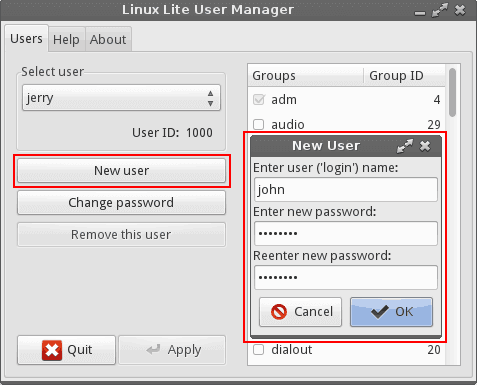
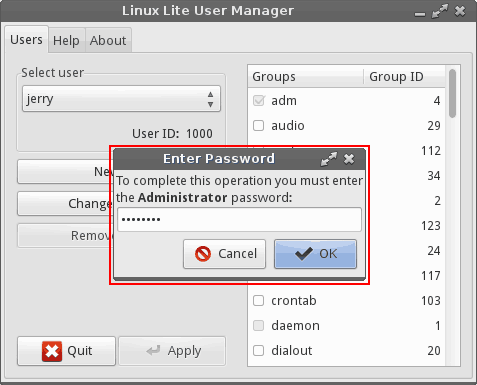
- You will then be asked for your pasword, enter it and click on
OKto Finish creating the new user.
User Permissions.
If you want a new user to have Administrator right:
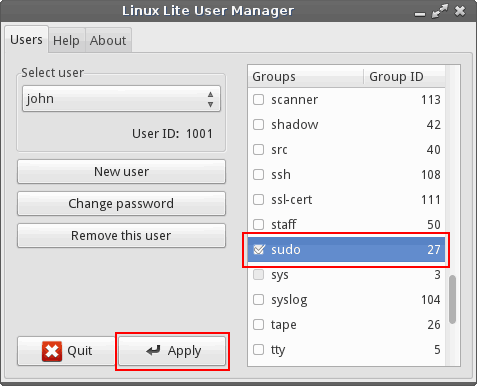
- In the right hand pane, scroll down to
sudo - Place a tick in the box besides it, and click on
Apply.
You can give the new user other group permissions too by using this method, but out of the box this should not be necessary. As by default the application already does all this for you. Now when the user next logs in, they will have the same full system rights as you. You will both be an Administrator.